Audit
Esta página aún no está disponible en tu idioma.
Audit lets you search and review individual CAPTCHA records for the selected site.
Search Criteria filter by request fingerprint (IP address, JA4 fingerprint, user agent), user account, domain, VPN status, WebView, framing, geolocation, device type, session type (Proof of Work, Image, Puzzle, Icon Order, Audio), blocked, outcome, status and a time range. Clear all resets them.
Search results
Section titled Search resultsClick Search to list the matching records, newest first. Each row is one visit: when it happened, its session ID, IP address and country, the CAPTCHA status, whether your server verified the token, the session score and the CAPTCHA type served.
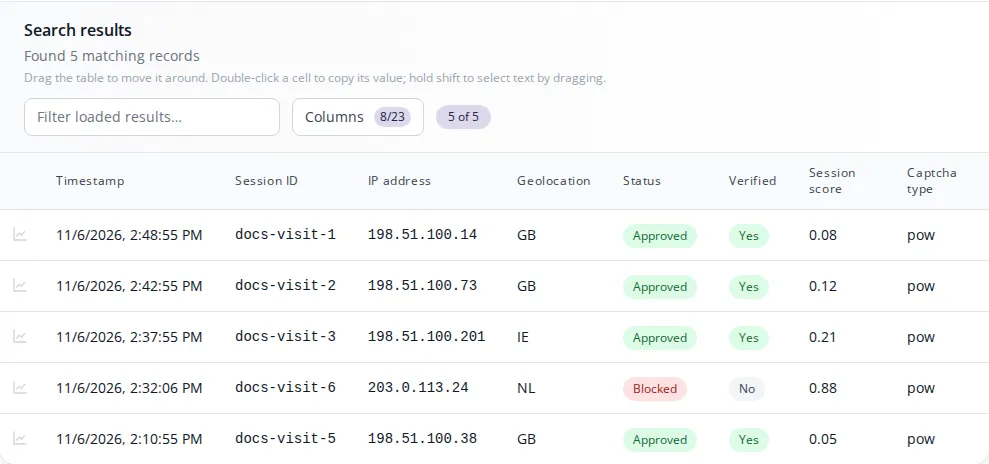
The table also includes sessions that never reached a CAPTCHA:
- Blocked sessions were stopped before a challenge was served, for example by an access rule or the traffic filter.
- Not attempted sessions (greyed out) were served a challenge, or let through by an allow rule, but nothing was ever submitted. Choose Not attempted under session type to see only these.
Search Results can be filtered further, and Columns chooses which fields to show.
Audit record
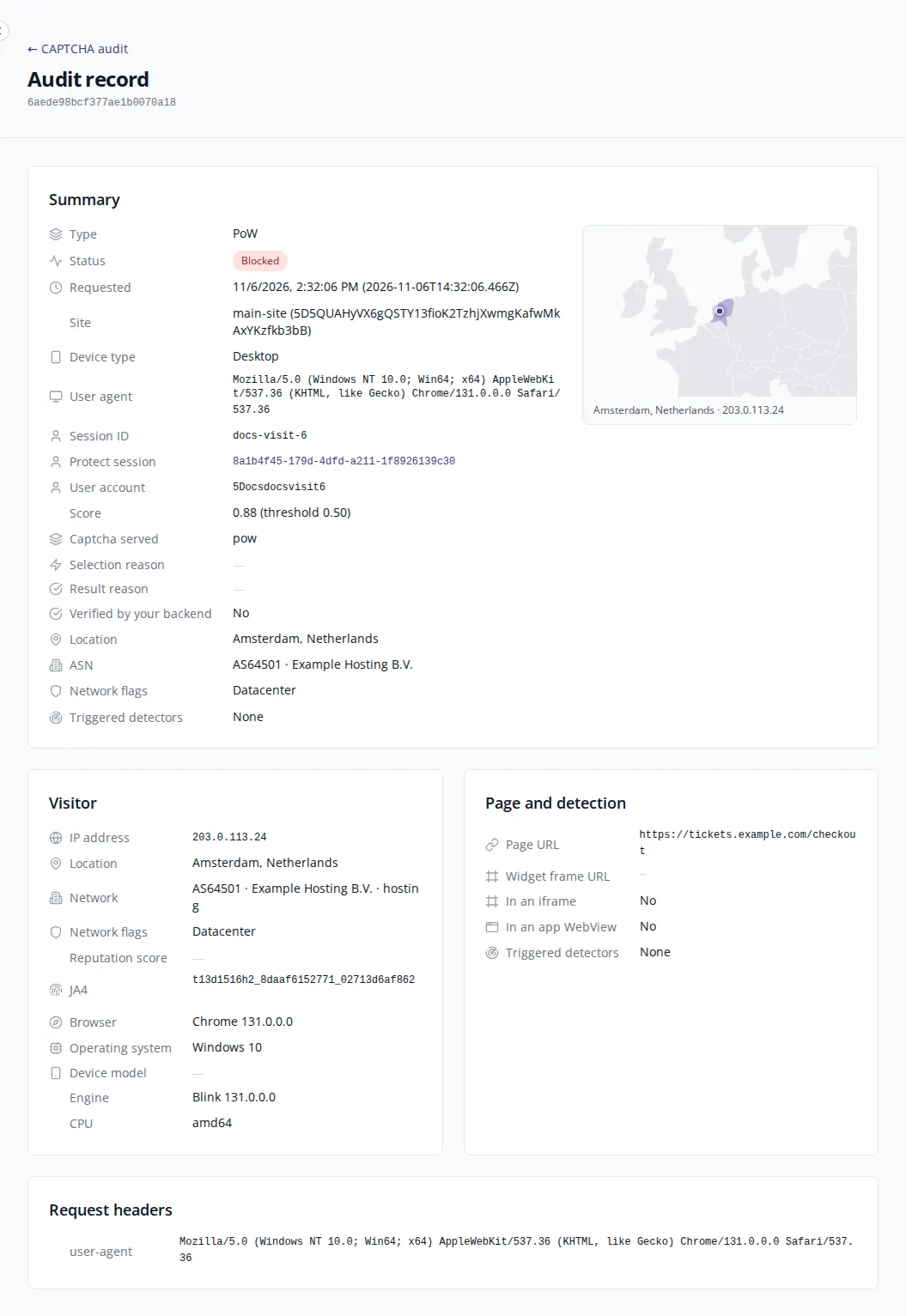
Section titled Audit recordClick the icon at the start of a row to open that visit’s Audit record. It collects everything Prosopo recorded about the visit on one page:
- Summary: the CAPTCHA type and status, when it was requested, the site, device type, user agent, session ID and user account. If the visit came through Prosopo Protect, it links to the Protect session.
- Interaction: a replay of the pointer and touch movement during the challenge, when it was recorded.
- Visitor: IP address, network, location, browser and device.
- Page and detection: the page the CAPTCHA was on and the checks that applied, including any access rule that matched.
- Request headers: the headers the visitor’s browser sent.
Earlier attempts by the same visitor are listed alongside, so a failed challenge that was retried can be read as one story.
Records are kept for 30 days. A link to an older record shows a message saying it could not be found.
See Audit for details on each field.