Honeypot
Ce contenu n’est pas encore disponible dans votre langue.
The Honeypot renders a hidden input into the widget that a human visitor never sees and never fills in. Bots that walk a page filling every text field they find will fill this one too, and that is the point: anything that comes back in it is evidence about the visitor rather than about the form.
How it works
Section titled How it worksWhen the honeypot is enabled, the provider attaches a question to the challenge response and the widget renders it into an off-screen hidden text input. The question is encoded — morse or semaphore — so that even a bot that reads the field and tries to answer sensibly has to decode it first, and a human who somehow surfaced the field would have no reason to type anything into it.
If a value comes back with the solution, it is recorded on the captcha record as a bot signal.
Configuration
Section titled ConfigurationThe card is on the General Settings tab of Site Settings.
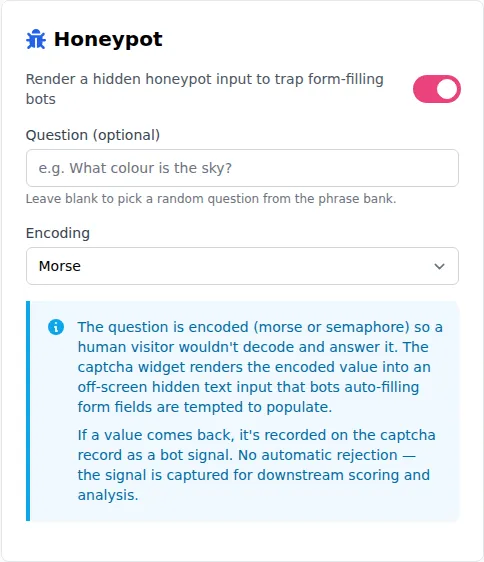
| Setting | Description |
|---|---|
| Enabled | Off by default. Turning it on starts attaching the hidden field to challenges for this site. |
| Question | Optional. Leave it blank and each challenge picks a random phrase from Prosopo’s phrase bank, so the value is not constant across your traffic. Set your own if you would rather control it. |
| Encoding | Morse (default) or Semaphore. This is how the question is encoded before it reaches the page. |
Things worth knowing
Section titled Things worth knowing- It is per site. Two site keys on the same account can have different honeypot settings.
- A blank question is not a disabled honeypot. With no question configured the field still appears, carrying a phrase chosen per challenge.
- Nothing is asked of your form. The field lives inside the widget, so there is no markup to add and nothing to read on submission — the signal travels with the captcha solution, not with your form data.