Divi
The Procaptcha plugin extends the following Divi modules. It is detected whether Divi is installed as the theme, as the Extra theme, or as the standalone Divi Builder plugin.
1. Contact Form module
Section titled 1. Contact Form moduleThe module’s built-in Use Basic Captcha toggle is the opt-in: when it is on, Procaptcha replaces Divi’s own arithmetic captcha.
- Edit the target page in the Divi Builder.
- Open the settings of the Contact Form module.
- On the Content tab, switch Use Basic Captcha to
Yes(recent Divi versions group it under Spam Protection). - Save the page.
On the front end the arithmetic question is removed and the Procaptcha widget is rendered in its place, just above the submit button. A submission with a missing or invalid token is failed by Divi’s own captcha error, so the visitor sees Divi’s normal error styling.
2. Login module
Section titled 2. Login moduleImportant: Before using this integration, ensure that the Login Form is enabled in the Procaptcha settings under the
Core formstab.
The Divi Login module submits to the native WordPress login flow, so the verification is handled by the WordPress Login integration:
- Visit the Procaptcha plugin settings
- Switch to the “Core forms” tab
- Enable login form protection
- Save settings
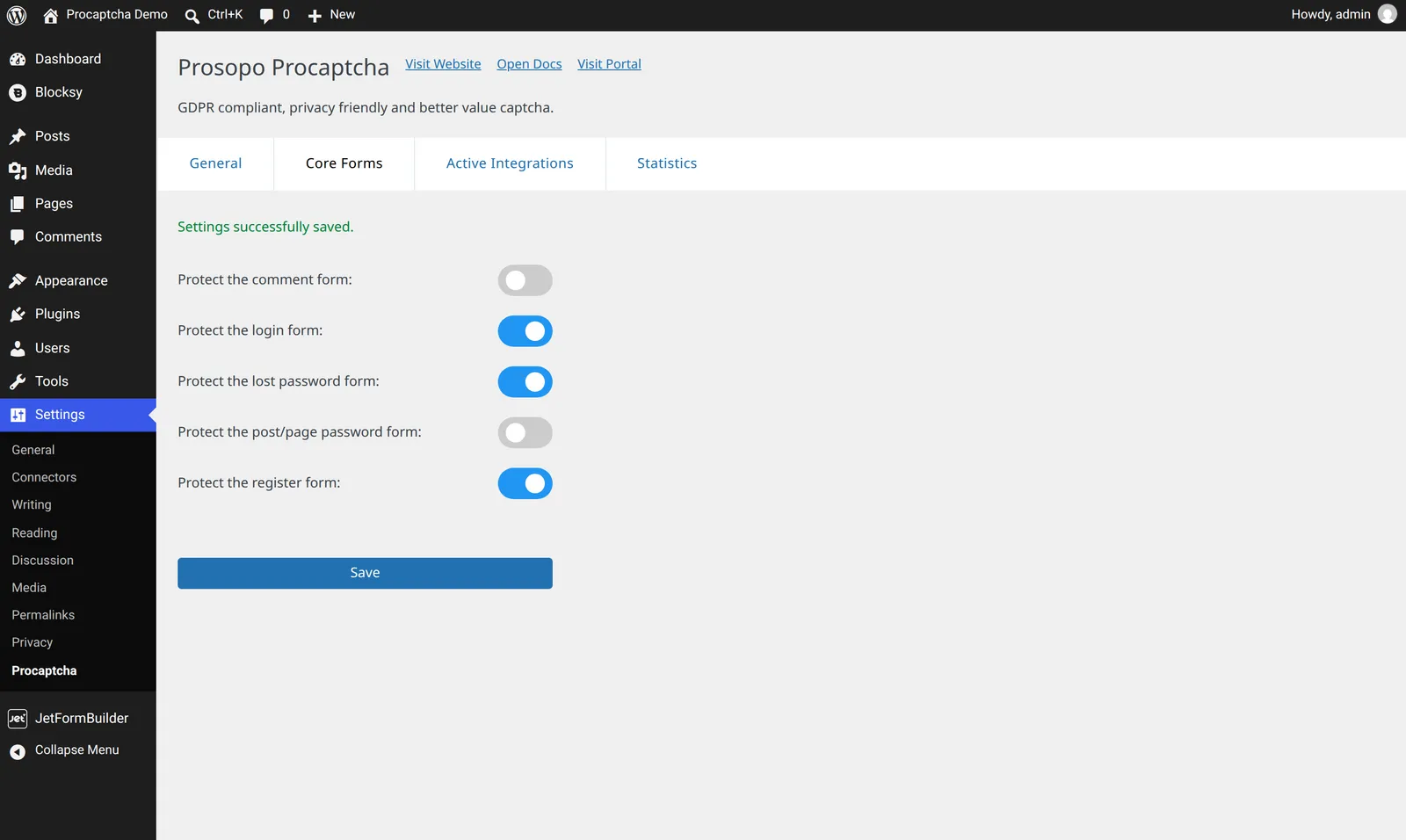
The widget is then added to every Divi Login module automatically — the module itself has no Procaptcha setting.
Related blog articles