JetFormBuilder
The Procaptcha plugin registers itself as a captcha provider for JetFormBuilder, so it appears in the form’s own Captcha Provider dropdown alongside reCAPTCHA, hCaptcha, Turnstile and Friendly Captcha.
Because JetFormBuilder verifies the captcha through its own request handler, no extra field or editor setup is needed: selecting the provider is all it takes.
1. Enable Procaptcha on a form
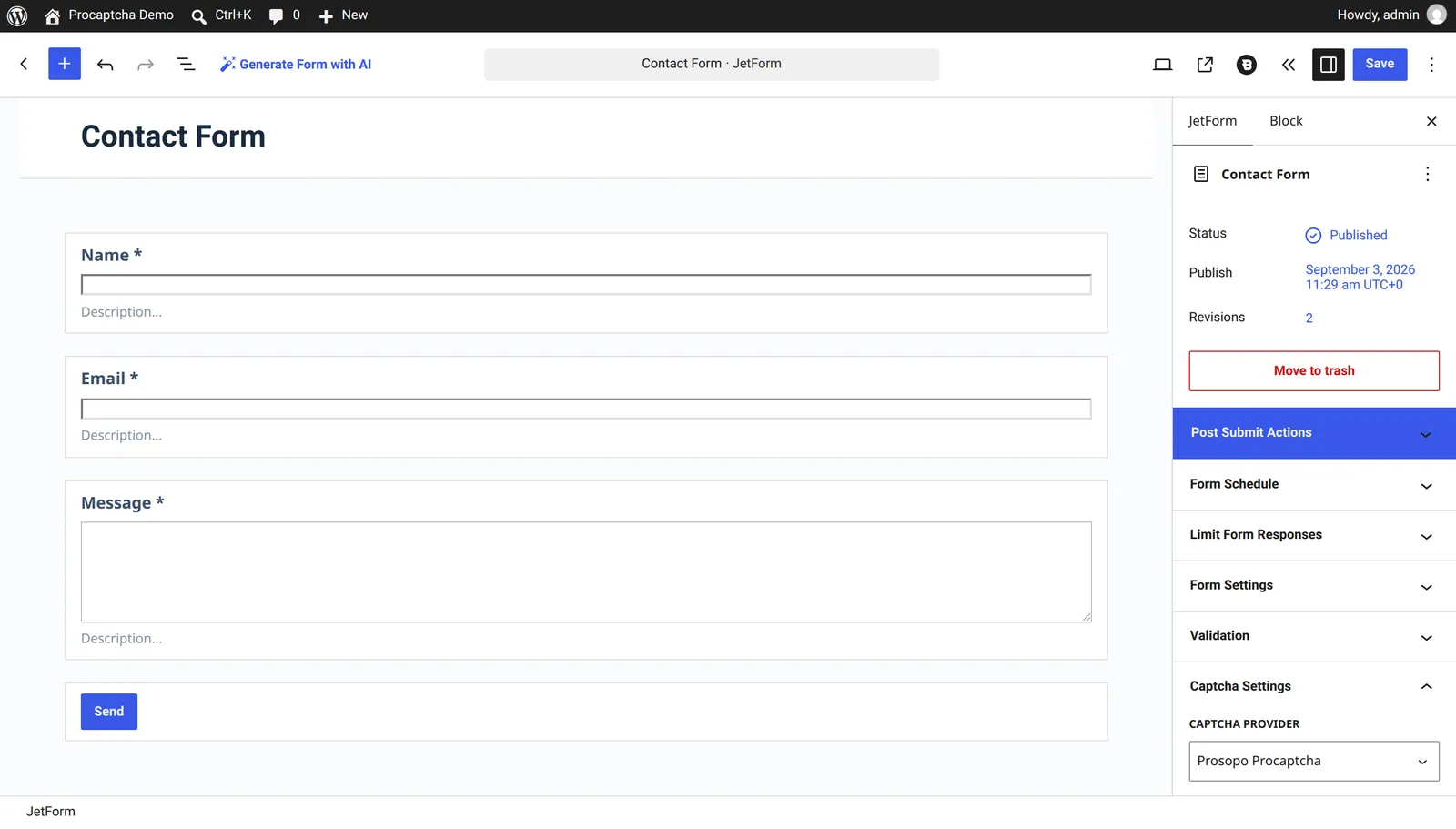
Section titled 1. Enable Procaptcha on a form- Open the target form under JetFormBuilder > Forms.
- In the JetForm sidebar tab, expand the Captcha Settings panel.
- Set Captcha Provider to
Prosopo Procaptcha. - Save the form.
The widget is rendered above the submit button on the front end, and a submission with a missing or invalid token is rejected with the form’s own Captcha failed message.
Related blog articles